Your MTD quarters
Income, expenses and profit for each quarterly update, split into HMRC’s categories, with the date each update is due.
Tax and Making Tax Digital
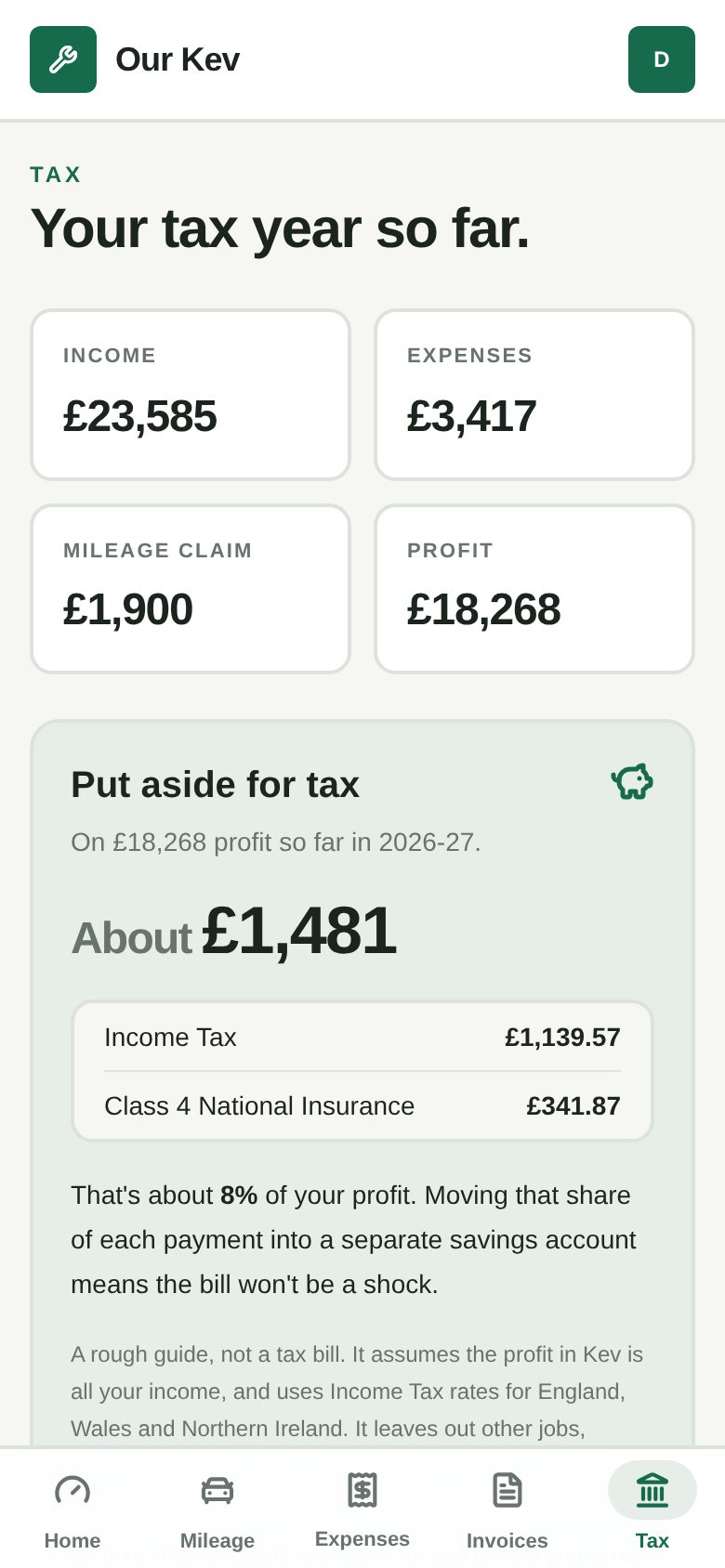
Kev adds up the invoices you’ve been paid, your expenses and your mileage, by Making Tax Digital quarter. He also gives a rough idea of the Income Tax and National Insurance on your profit so far.
Free plan · No card needed
See it in Kev
Kev adds up your income, expenses and miles as you go and gives you a rough figure to set aside for Income Tax and National Insurance.
Try the demo, no sign-upReal screens with sample figures. Nothing to sign up for.
Income, expenses and profit for each quarterly update, split into HMRC’s categories, with the date each update is due.
A rough guide to Income Tax and Class 4 National Insurance on your profit so far, including Scottish rates if you live in Scotland.
On Kev Pro, download every quarter and the year’s totals as a spreadsheet, and look back over your last 3 tax years.
Not yet. Kev gets the figures ready. You copy them into your MTD software or give them to your accountant.
No, it’s a guide. It assumes Kev holds all your income and that you have no student loan or other claims. Check with an accountant.
It runs in your phone’s browser, so there’s nothing to download. Setting up takes a minute.