A link your customer can open
Send it by WhatsApp, text or email. It opens on their phone with no account needed, and shows your bank details and the amount due.
Invoicing
Add the labour and materials, and send the invoice from the van. Your customer gets a link with your bank details and what’s due, and Kev shows you who still owes you.
Free plan · No card needed
See it in Kev
Pick the client, add the work, and Kev numbers it, adds your bank details and gives you a link your client can open on their phone.
Try the demo, no sign-upReal screens with sample figures. Nothing to sign up for.
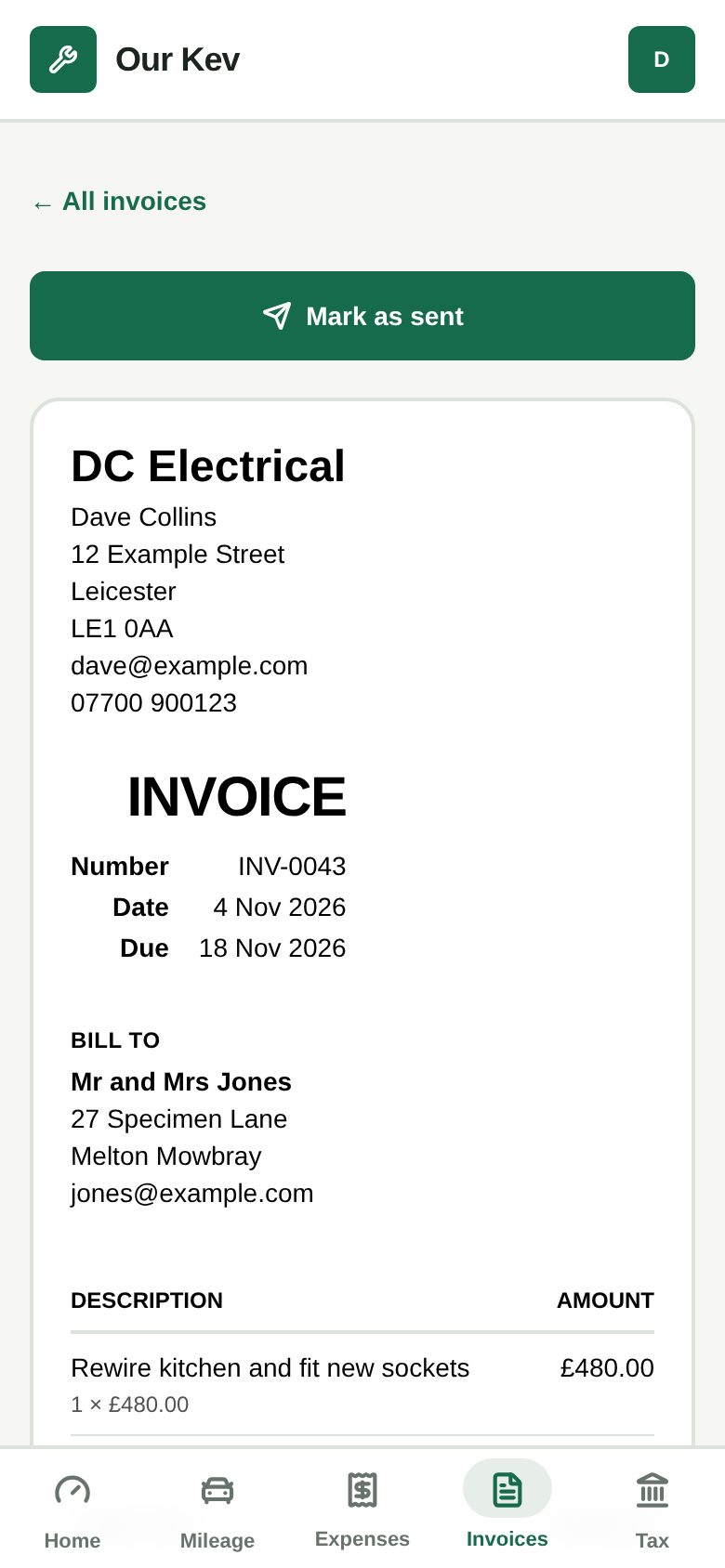
Send it by WhatsApp, text or email. It opens on their phone with no account needed, and shows your bank details and the amount due.
Invoices past their due date show as Overdue. Mark them paid when the money lands and they drop off the list.
Kev emails your customer 7 and 14 days after the due date if it’s still unpaid, from your business name via Our Kev.
Turn an accepted quote into an invoice in one tap, with the same customer and lines.
No. The link opens the invoice in their phone’s browser. It only works once you’ve marked the invoice as sent.
Yes. Add your VAT number in your invoice settings and pick a VAT rate on each line. Kev adds up the totals.
Not yet. The invoice shows your bank details for a bank transfer, and you mark it paid when the money arrives.
It runs in your phone’s browser, so there’s nothing to download. Setting up takes a minute.