Kev reads the receipt
On Kev Pro, upload a photo or PDF and Kev picks out the supplier, date, VAT and total, and suggests a category. Up to 300 receipts a month.
Receipts and expenses
Log what you buy for work as you buy it. On Kev Pro, take a photo of the receipt and Kev fills in the figures for you. Everything is sorted the way your tax return wants it.
Free plan · No card needed
See it in Kev
On Kev Pro, take a photo and Kev fills in the supplier, date, VAT and total for you to check. Every new account gets 14 days of Pro free.
Try the demo, no sign-upReal screens with sample figures. Nothing to sign up for.
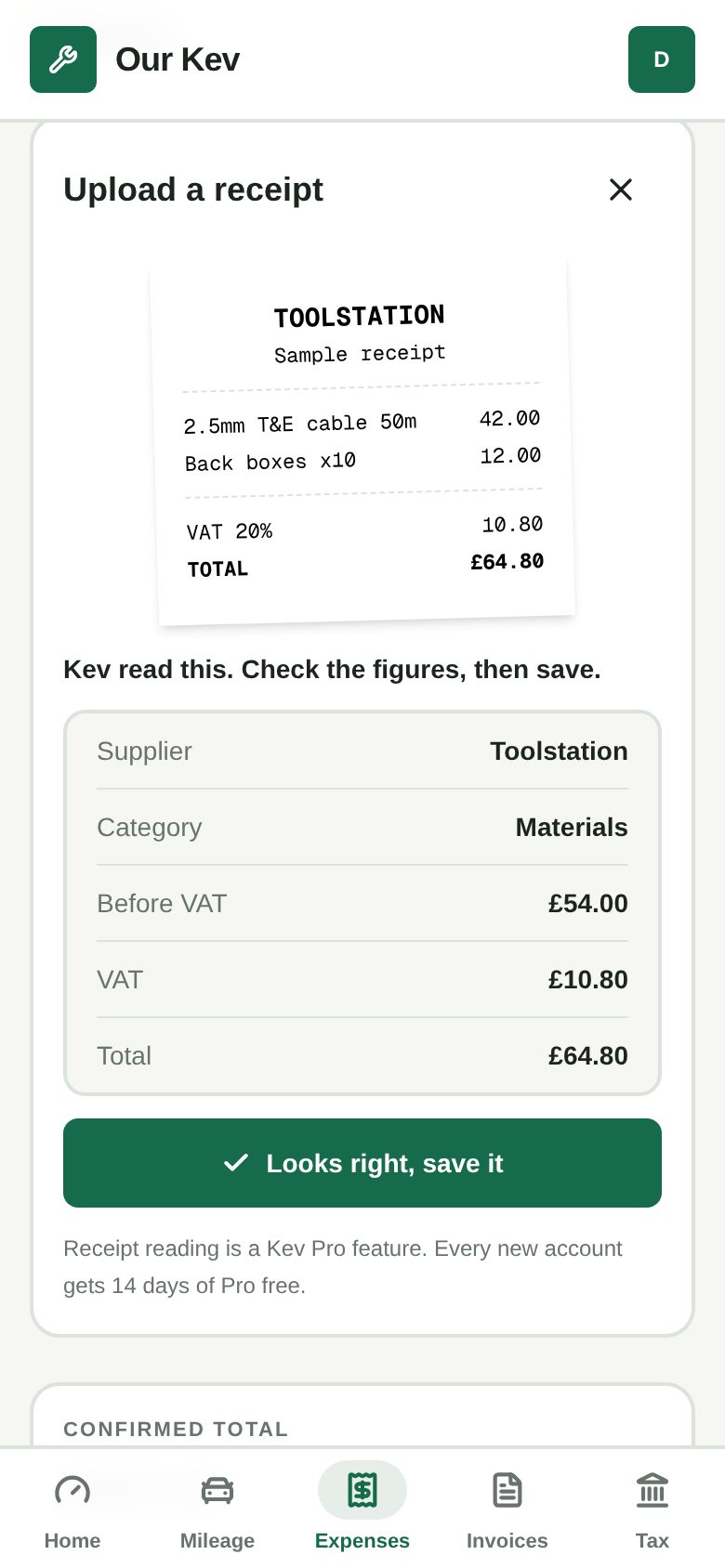
On Kev Pro, upload a photo or PDF and Kev picks out the supplier, date, VAT and total, and suggests a category. Up to 300 receipts a month.
Materials, fuel, tools, workwear, subcontractors and more, each matched to the box on your Self Assessment.
Nothing goes into your totals until you tick Confirmed, so a misread receipt never ends up in your accounts.
Kev shrinks big photos on your phone before uploading, so it works from the van or a site with one bar.
Photos (JPEG, PNG or WebP) and PDFs up to 10 MB. If Kev can’t read one, the receipt is still saved and you type the figures in.
Receipt reading is part of Kev Pro, which is £7.99 a month with a 14-day free trial. The expense log itself is free for good.
Yes. In an organisation, your crew claim expenses from the company on their own phones, and you approve or reject them from yours.
It runs in your phone’s browser, so there’s nothing to download. Setting up takes a minute.